Maps, aerial images and terrain
Switch between the street map, aerial images and the topographic map. Choose the view that helps you understand access and the surroundings.
Kaldrix Maps
Check parcel boundaries, access and available utility data. Explore the area and return to your project with a clearer picture of the site.
Before work starts
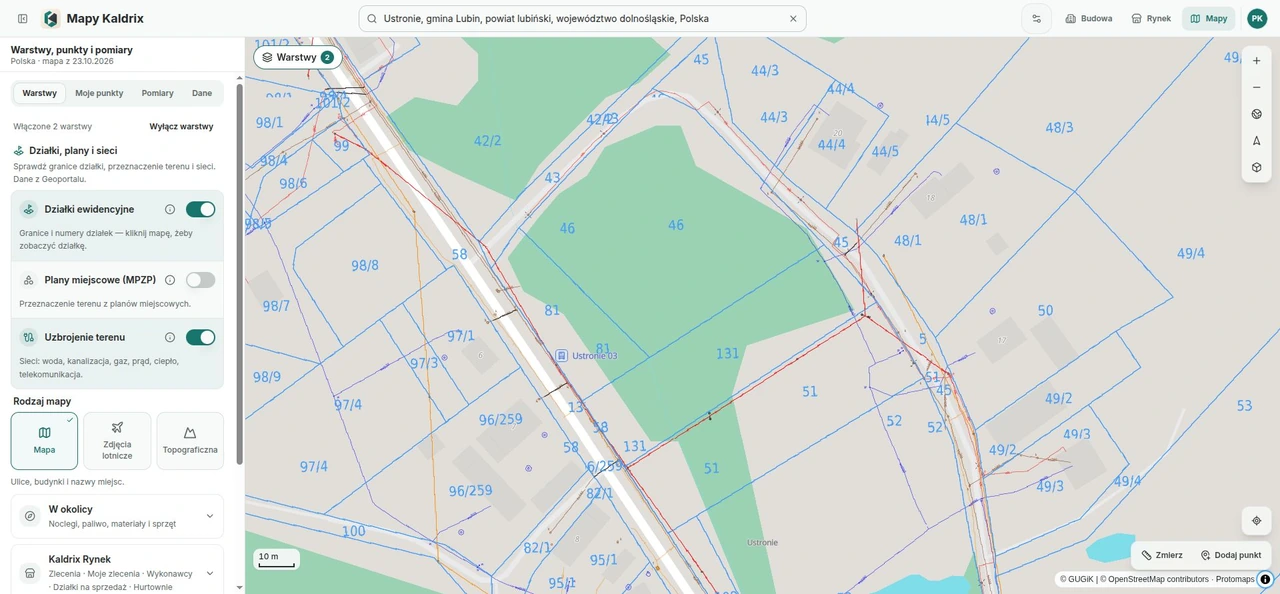
Look at access on aerial images, check parcel boundaries and turn on available utility data. Information depends on the location and source.
Switch between the street map, aerial images and the topographic map. Choose the view that helps you understand access and the surroundings.
View boundaries and numbers from land records. Click a parcel to see its number, registration area and municipality.
Turn on available water, sewage, gas, power, heating and telecoms data. The map displays information from Poland’s GUGiK and county registers.
Explore the local zoning layer. Symbols can differ between plans, so check their meaning in the relevant adopted resolution.
Explore the area
Available Kaldrix Marketplace layers help you look for jobs, contractors and plots for sale. Explore the area and open a listing to see the details.
Use available layers for jobs, contractors and plots for sale. Open the linked listing to see the details. Access depends on the layer and account.
Keep important places
Add important points, check the route length and measure a selected area. Keep places you want to return to as you plan.
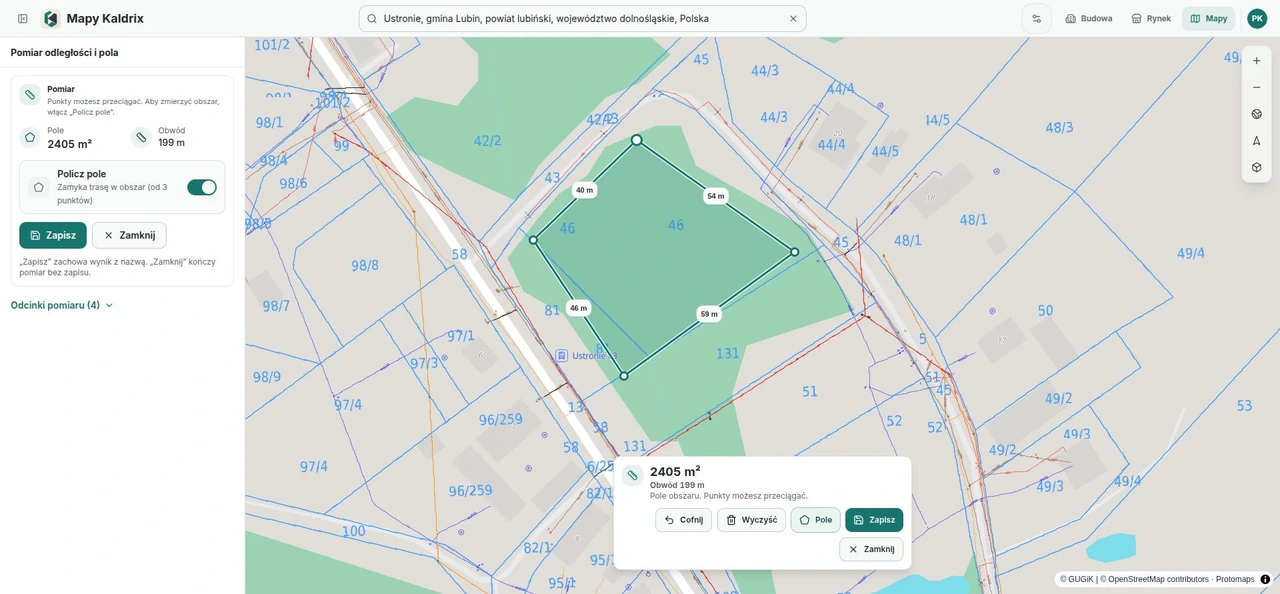
Save your own places in the browser without signing in. Download a copy of the points to keep them outside this device.
After signing in, use points shared within your company. Your permissions determine whether you can add or change them.
Mark the points of a measurement. Check the route length and close the shape to see its perimeter and area.
The same build, a wider view
Go from your Kaldrix project to the building site. The map link can turn on parcels with zoning or utility networks. Check the information you need for your next decisions.
Go to the building site and explore its surroundings. From an available building site on the map, open its linked project when you have access.
Check site information and the local zoning plan. Confirm connection availability and terms with the relevant utility provider.
Browse public maps and available overlays without signing in. Company and project data require an account and the right permissions.
Jobs show an approximate location, while contractors show their service area. Visible information depends on the layer and access type.
Before using the data
The map helps you understand the site. Availability and detail depend on the location and source.
No. A layer may be incomplete or unavailable for that location. Before earthworks, confirm utility routes using the relevant documents and with the network operator.
As a planning aid. The result depends on the points and map background you select; it does not replace a survey.
Open the layer description and check the relevant plan and its legend. Symbols can differ between plans.
14-day trial, no automatic payments
Create an account, add a project and try the drawing, estimate and schedule during a 14-day trial. No automatic payment.
Tell us what your company or building project needs.