Jobs nearby
Use search and the map. Check the location and scope before you start a conversation.
Kaldrix Marketplace
Describe the work, find the other party and keep the conversation with the job. Kaldrix Marketplace connects people looking for a contractor with companies looking for their next job.
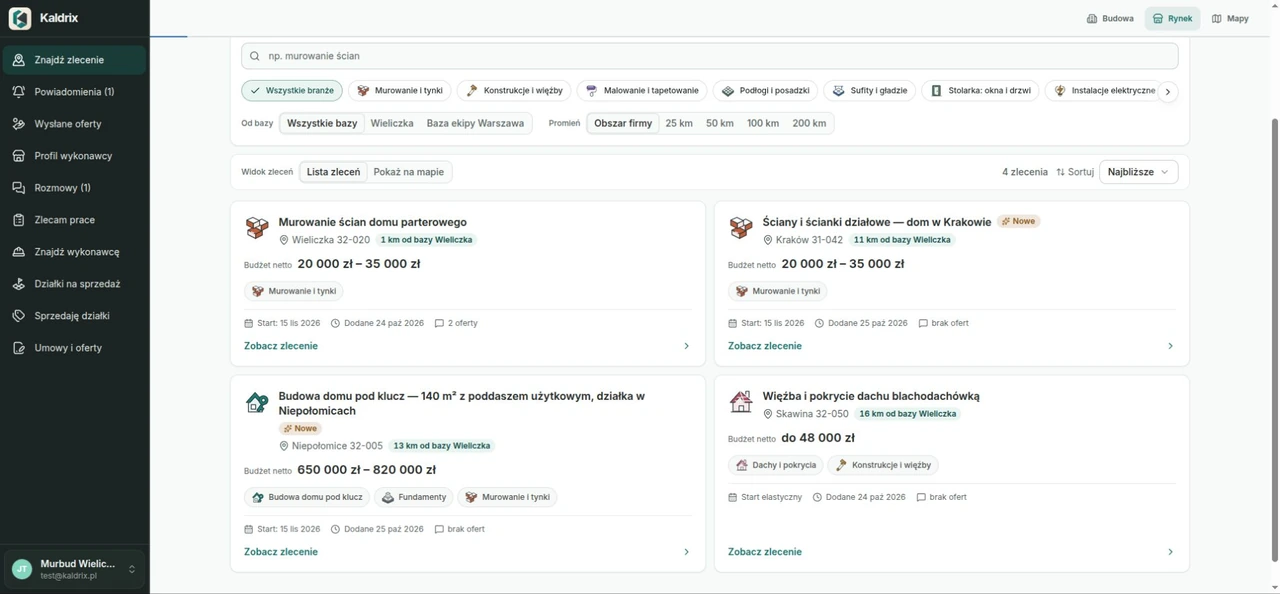
Looking for a contractor
Prepare the scope, location and information a company needs to discuss the work. A listing gives both sides a shared starting point.
Choose the trade and location. You can also prepare the scope from selected items in a Kaldrix estimate.
Gather questions and agree details in a conversation linked to the job. You can also approach a company from the directory.
Return to the agreed work and proposals. Save an offer received by link in a conversation on your Kaldrix Marketplace account.
Looking for your next job
Search by area and trade. Talk to the customer, then prepare an offer based on your own estimate.
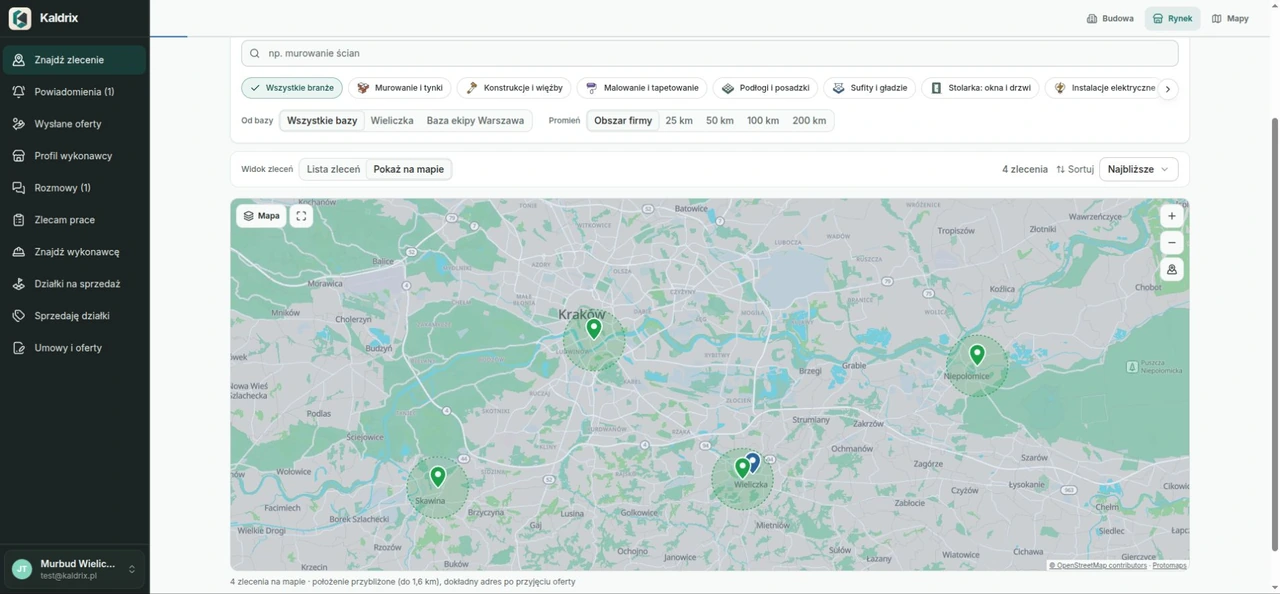
Use search and the map. Check the location and scope before you start a conversation.
Present your company in the contractor directory. Help customers find a suitable crew and start a conversation.
Agree the details, dates and expectations. Keeping the conversation with the job makes information easier to find.
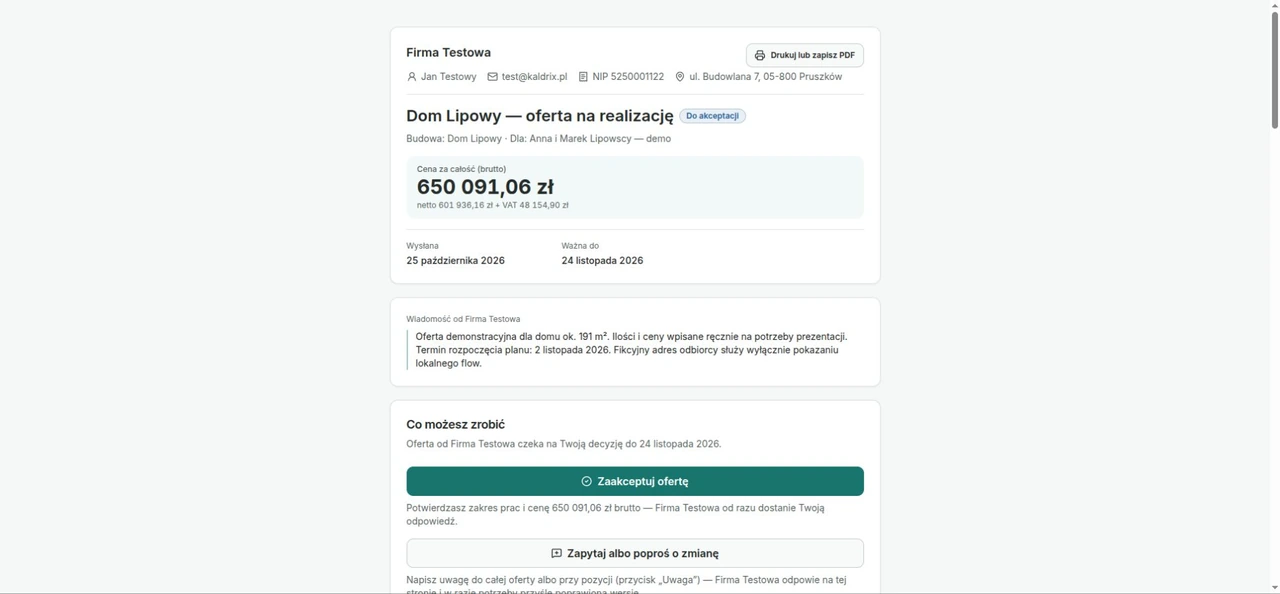
Send your prepared offer to a selected marketplace conversation. Its scope and price come from your Kaldrix estimate.
Reuse the scope you prepared
Select the estimate items you want to commission and use them to prepare a job listing. When responding as a company, send an estimate offer to the conversation. Your proposal then covers the work you are discussing.
More around the build
Look for your company’s next job or a place for your own build. Saved filters help you return to listings that interest you.
Save an alert for your trade and area. Return to new matching jobs without setting the filters again.
Browse land listings or prepare your own. Narrow the results by location, price, area and other plot details.
From scope to conversation
A clear job makes it easier to discuss price, timing and responsibility.
State the type of work, location, approximate dates and scope. Mark quantities you know and those that need measuring or checking on site.
No. You can describe a job yourself. If you have an estimate in Kaldrix, selected items help you reuse the same scope.
Check whether they cover the same work, materials, preparation and cleaning. Clarify missing items in the conversation before comparing the totals.
14-day trial, no automatic payments
Create an account, add a project and try the drawing, estimate and schedule during a 14-day trial. No automatic payment.
Tell us what your company or building project needs.