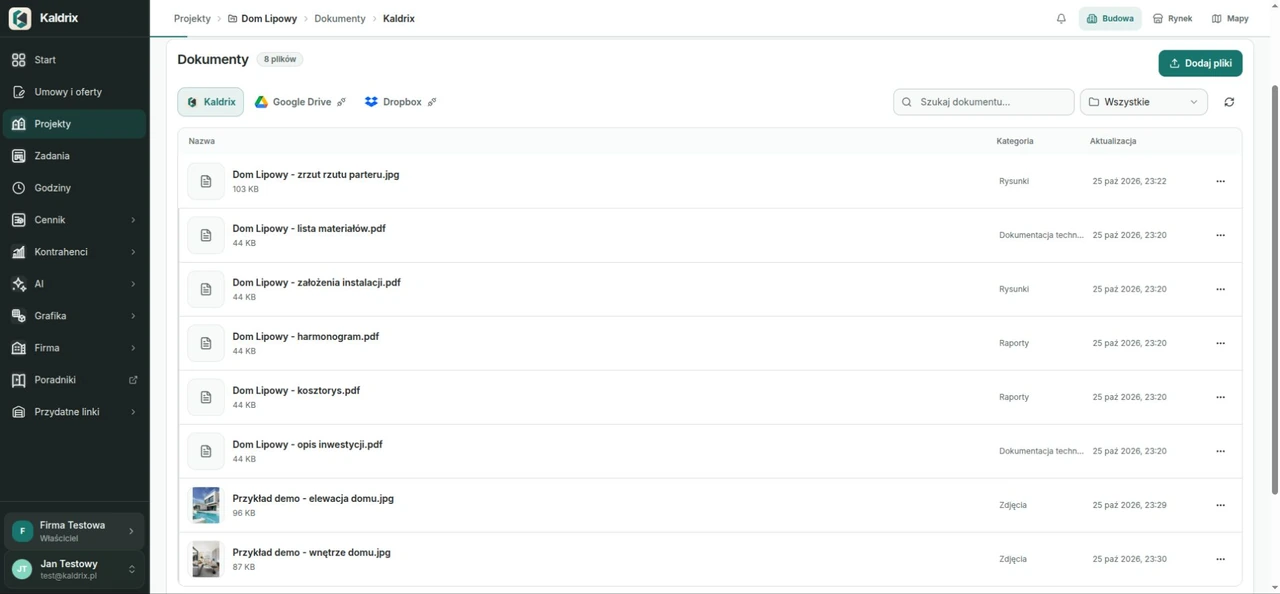
1. Give each project a clear home
Choose a short, recognisable project name. Add an address or another identifier that distinguishes similar jobs. Keep received drawings, offers, decisions and photos with that project. If you use several storage locations, record where the current material can be found.
Assign someone to maintain the records and answer “which version are we using?”. Agree who adds files, who reads them and who confirms decisions. Match access to each person’s work. A person involved in one job may only need a small part of the company’s documents.
2. Start with a few simple groups
Choose a few groups that fit the material you collect. Keep the list short enough to maintain. This example suggests a working arrangement; it does not list required documents.
| Group | Example contents |
|---|---|
| Scope and offer | Sent offers, scope changes, customer confirmations |
| Drawings and information | Received drawings, descriptions and project information |
| Work and decisions | Meeting notes, decisions and crew agreements |
| Deliveries and payments | Orders, delivery confirmations and invoices |
| Photos | Images labelled with place, date and subject |
3. Make file names recognisable
Choose one naming pattern: date, place or subject, and version. For example: “2026-10-26_Linden-House_offer_v03.pdf”. Include the room and subject in photo names. Specific names help the next person find the file.
Agree what the date means: preparation, a meeting or when a photo was taken. Apply the same rule throughout the project. A version number gives a clearer history than the word “final” alone. Another change can quickly make that label misleading.
4. Distinguish new files from accepted versions
When a revised drawing arrives, keep the earlier file and mark which material is current. Add a short description of the change. Adding a file does not establish that the customer or crew has accepted its contents. Record that confirmation separately.
After sending an offer, keep the exact version the customer received. Link a revised offer to the decision that changed the scope. If confirmation is still needed, record an owner and a response date. This keeps an open decision visible among documents that are already agreed.
5. Give photos and conversations context
Add a location, date and reason to each useful photo. “Upstairs room, wall beside the entrance, condition before the agreed correction” says more than an image number. Group photos about the same matter so that someone can understand what was inspected and discussed.
After an important conversation, record the subject, decision, participants and next action. Distinguish a proposal from a confirmed agreement. Link the note to the drawing, offer or task it concerns. Keep the original message when that message contains the confirmation.
6. Finish the week with a short review
Review new files before they build up. Give them clear names, put them with the right project and add missing descriptions. When a job ends, keep an organised set of the agreed material. Assign responsibility for storage and a backup, so these arrangements have a clear owner.
- Can the crew find the current drawing?
- Does the accepted offer have a recorded confirmation?
- Do photos identify their location and subject?
- Does each open decision have a responsible person?
- Does project access match the people currently involved?
A file helps when you know its subject, which version is current and who confirmed the decision. Keep that context with the project. In Kaldrix, give the document a clear name and keep it with the build it concerns.